Powerful Backlink Analysis - 2020 Top Free SEO Software Suite
Backlink Analyzer Tool
Analyze your URL below to get access to the Free Backlink Analysis Checker and other data-driven tools to improve your SEO.
TRUSTED BY TODAY’S TOP COMPANIES
What is the Toxic Backlinks Checker?
The toxic backlink checker tool allows users to check domain and page-level metric information for a specific url and identify any toxic links or poor quality links in their own backlink profile. The tool is also particularly useful for those sites seeking comprehensive information about their backlink profile in order to improve backlink strategy or link building campaigns.
You can also view granular link data for each domain. Getting a detailed report from a link checker helps webmasters know what next steps they’ll need to perform if a toxic link detox is needed. Spammy or low-quality links can damage your seo efforts and harm your site’s rankings, so analyzing your backlink profile regularly is important for any site who wants to rank higher and more often in search engine results pages.
Whether you want to know the number of backlinks in your backlink profile, the number of referring domains, or your anchor text distribution, this backlink analysis tool provides all of the valuable link information you need to polish your backlink portfolio and identify new opportunities for your offsite SEO strategy.
Audit your entire domai to take a closer look at what types of links are populating your link profile.
Competitor Analysis
Perform a competitive analysis to see how many referring domains you need to outrank your competitor's website.
Link Building Campaign
Take your link building campaign to the next level by identifying key link prospects and new link opportunities in your industry.
Disavow Files
Generate disavow text for your disavow files so Google only considers the highest quality of links toward your site authority.
OUR APPROACH TO
Backlink Analysis
Backlinks for Beginners
Influencing Domain Authority
Identifying Toxic Backlinks
Removing Bad Links
Building High Quality Backlinks
Monitoring Backlink Profiles
Negative SEO Attacks
Backlinks Overview
Backlinks are valuable because they’re essentially votes of confidence from other websites. Backlinks, also known as inbound links or incoming links, are created when one website links to another. All external links, or links that point to an external domain, are considered backlinks. The higher the authority of the site linking to your domain, the more valuable that link will be as part of your backlink profile.
Building new backlinks is a crucial part of your off-site SEO strategy. Generally speaking, dofollow backlinks from trustworthy and popular sites are going to be the most important for a high-quality, complete backlink profile. By improving the number and quality of the website’s linking to yours, you improve the overall reputation and trustworthiness of your site in the eye’s of Google’s index and proprietary ranking algorithms.
Backlinks are important for search engines because they can indicate content that is worth linking to. Googles’ rank signals respond to high-quality content, so if many external sites are linking to your domain name, then it’s likely that other people on the internet find your content valuable. As a result, you’ll have an easier time boosting your site in the SERPs.
Not all backlinks provide the same value or transfer the same amount of search equity between sites. For example, links with a nofollowattribute, Sponsored attribute, or User-Generated content attribute pass along significantly less equity than dofollowlinks. Separately, spammy sites or sites using deceptive anchor text practices can actually have a negative impact on your rankings. These are considered toxic links.
Naturally, toxic links or any low-quality links from untrusted sites will damage your portfolio, and accruing enough of these could put you in need of a link detox. Any dofollowbacklinks will pass link equity between sites, which can be good for your trust flow, but it’s important not to dismiss the value of nofollowlinks, as just having a positive mention on other high-quality sites can give you a boost.
Of course, you won’t just be collecting backlinks from other sites—you’ll also be giving out backlinks yourself, and the way you go about this matters. The links you create to other sites will differ in value due to the authority of the site you’re linking to, but there are other factors as well. These can include the anchor text you use, whether you choose a DOFOLLOW link or a NOFOLLOW link, and any meta tag associated with the site. While not the topic of this piece, outbound linking can also help improve the rankings of your website.
There are several important metrics to monitor when trying to improve search rankings for your site. The one that webmasters have traditionally focused on is site traffic, even though traffic is a lagging indicator for search rankings. As an aggregate metric, organic traffic is simple to check at a glance in Google Analytics and can give you a sense of how your entire domain is performing. However, this metric does not help you understand which keywords are leading users to click into your site.
To learn more about your exact SERP visibility, you’ll need Google tools like Google Search Console. Google Search Console is the truest data available about your keyword rankings on the internet. Tools like Ahrefs and Semrush do not provide up-to-the-day data, so only search console can give you an exact understanding of how your domain is being positioned in the SERPs for individual keywords.
The more often Google shows your domain in the search results, the more likely you are to see your individual rankings increase and the more likely it is that your domain is appearing as a result for a broader range of searches. Outside of the Google product suite, you should track your site’s domain authority. The Moz DA metric scores domains on a scale of 1-100 based on their overall search equity, which they call domain authority (DA). Domain Authority is a leading indicator for search visibility improvements. Majestic’s trust flow and citation flow metrics can also provide an idea of how Google looks at your website’s overall site authority.
It is worth noting that the way DA and other metrics are determined can change from time to time, so it’s worth keeping updated. On that note, Google algorithmscan also change, which can significantly affect rankings. One of the most notable algorithm updates was Penguin in 2012, which sought to derank spammy sites from its search results. Staying up to date on all changes to Google is crucial for SEO efforts, so you can know what to look for in your regular link analysis.
Moz’s DA is determined by a variety of factors, but one of the most critical is your backlink profile. Your backlink profile consists of all instances of other sites linking to your site. As you begin accumulating and building backlinks, you need as much information as possible about the type of backlinks that really move the needle on your authority score.
Our free backlink checker will flag lower-quality or spam sites that link to yours and mark the links as “risky.” Depending on the number of links in your link profile, you may want to add those domains or subdomains to a disavow file so Google no longer counts them toward your backlink history. Our link checker tool can generate the disavow text for you, but if you are not a skilled search engine strategist, it’s a good idea to seek the help of an expert before attempting to disavow a list of links in Google Search Console.
Whenever a new site links to yours, there are several things you should look for to measure the strength of the backlink. The DA of the linking site, the specific anchor text, and some other additional information like site traffic and topical relevance all determine whether a link from a specific domain helps or harms your website. It’s important to perform regular backlink analyses for your own website to identify spam links early on before Google penalizes you for keeping company with questionable web properties.
The only way to truly “remove,” a toxic backlink is to reach out to the site owner and request removal. When you submit a disavow list to Google, you don’t actually remove the link, you simply ask Google not to count it when evaluating your overall site authority. As you pursue link building campaigns and improve the number of links in your profile as well as the link quality, links from spammy websites will not do as much harm. But for newer sites with a small amount of links, regular link audits are very important.
This type of close monitoring of your backlink list with a free backlink tool like ours can be the difference that helps you start showing up in search engine results pages. Site owners who ignore the link quality of their site’s backlinks will not rank as high or as often, losing out on site traffic and potential conversions. A healthy backlink profile is the foundation of search engine optimization, so make sure you perform backlink checks often.
When optimizing your site, it’s important to do more than build good backlinks. You’ll also need to start removing harmful links. After using the free backlink checker tool to identify your bad backlinks, there are a few courses of action you can take to make sure those lower-quality links don’t taint your backlink report and harm your website rank for important keywords.
If the harmful links are on your own site, you can take manual action and simply delete the links yourself. If you’re finding a bad link to your site on another website, you can contact the webmaster of the site and file a request to remove it. If you’re still finding a large amount of toxic backlinks, and you feel you’ve exhausted your options for link detox, the next step is to use the Google disavow tool.
A disavow file created in the disavow tool essentially requests Google not to take the disavowed links into consideration when ranking your site. This won’t help you get rid of a Google penalty you’ve already received, but it may be a great opportunity to avoid a new one. Once all your link detox efforts are made, you can submit a reconsideration request with Google to see if your rankings increase.
It’s important to perform regular monitoring for toxic links with a link analysis tool. Performing this process manually can be cumbersome. SemRush and Majestic offer paid tools, but there are a number of free backlink checker tools to help you with the process that are just as effective. Performing a backlink check with the help of digital marketers is a great way to make sure the links you disavow end up helping, not harming your site.
LinkGraph’s own Backlink Checker provides you full visibility into the domains linking to your site. Our backlink explorer provides key metrics such as the domain’s Majestic citation flow (CF), Majestic trust flow (TF), and which domains are providing bad links. LinkGraph’s tool considers all toxic markers and recommends sites for a disavow. You can review the recommendations, select the ones you agree with, and generate a CSV Excel right from our backlink checker.
Even more good news is that the LinkGraph backlink checker tool can also help you compare your backlink profile to the profiles of your top competitors. This backlink analysis feature will help you understand how your link building efforts have stacked up against your competitors. You can even use our spammy links toggle to remove bad backlinks from the comparison. This will give you a sense of the true link building gap between your site and competitor sites.
If you need additional help optimizing your site, there are some great free tools available like Google Search Console, which can help you improve the chances of your web pages appearing in the SERPs. If you feel the free link checker tools aren’t doing everything you need, you can still get a free trial of services from programs like ahrefs, majestic seo, semrush, or SEO spyglass.
If you want to significantly improve your search engine rankings, you’ll need to develop a link building strategy. Link building is the process of earning quality backlinks from authoritative sites in your niche in order to improve your backlink analytics and your overall site authority. Link building campaigns are a way to do optimization for your own website by improving your off-site rank signals.
Not all methods of obtaining backlinks are considered Google compliant such as paying for unnatural links or through cheap tricks like comment spam. These tactics are generally considered negative seo and could easily result in a Google penalty in the long run. For this reason, it’s better to employ more trusted methods like content marketing. Using original content to earn links is a great way to get link opportunities. Regardless of the type of content you create, whether a blog post, an ebook, or a useful resource, as long as it is valuable, high-quality, and relevant to the site owner’s audience, it will be seen as Google compliant.
There are many different ways link builders can use content for building links. Infographics are in high demand, and for good reason. They’re easy to understand, and everyone likes visual data. Another method is to research statistical data for your infographic, turn the date into visuals, and then post it somewhere it’s likely to generate valuable new backlinks. Something as simple as a line chart can be a good start, and if you want a chance at lots of social shares, you might consider hiring a designer for more complex graphics.
Another way to build high quality backlinks is as a guest blogger on other sites. This lets you get more exposure from other audiences, and if you’re linking your content on a particularly popular blog, you can increase your traffic dramatically. Guest blogging can also help increase your social media followers in addition to your traffic.
One way to find leads for guest blogs is to find influential sources in your industry niche who regularly post guest blogs and see if you can pitch to the same sites they do. Speaking of following other sites, it can be very worthwhile to see where your competitors’ backlinks come from. What’s often better, however, is to set up alerts for them. Subscribing to their newsletters is one way to do this, so you’ll be up to date when they publish on their own sites. If you want to go a step further, you can set up a link alert in Google to let you know whenever the specified url posts new content.
It’s also important that search engines continue to see other sites link to yours over time, because this tells search engines that your content is staying relevant and useful as your industry evolves. Majestic even tracks the freshest backlinks in a separate “fresh index”, weighting them more heavily as newer links are better indicators of relevancy and new links are more likely to still be live.
For more leads on new links, it may be worthwhile to use open site explorer. This is a Moz search engine designed specifically to track links to your website. Likely, you will use a combination of different tools in your link building campaigns in order to get as many additional insights as possible and to conduct as much backlink research necessary to start outranking your competitor websites quickly.
If you want to see your search KPIs improve in Google Analytics, backlink tools should be a part of your regular sitewide links monitoring. You should be doing the SEO work of ensuring your site is not accumulating low-quality types of links. Use a link checker tool at least once every quarter and audit your total number of backlinks, as well as your anchors, to identify when or if a spammy website has linked to yours since your last round of backlinks analytics.
For more advanced strategists and digital marketers, you can perform backlink research into your competitors’ backlink profiles to create benchmarks for your own site. We are known for one of the best backlink checkers available because we make competitor backlink analysis so simple. Enter a few of your competitors into our tool and it will show you the link intersect between your competitor’s backlinks so you can find specific pages and domains where they are earning links from.
In this way, the best backlink tool also becomes a link building tool. Build a directory of information from your competitor’s site and pitch original content to those same publications where your competitors’ backlinks came from. As you continue to increase your total number of links throughout your campaign, keep checking on your competitor’s backlink analytics to make sure you’re keeping up or outpacing their link accumulation.
You can also think about how PageRank is being distributed across your site. Different links pass on different quantities of link juice depending on the authority and reputation of the linking domain. A detailed breakdown of links and link type is very helpful for advanced optimization strategies.
Negative SEO attacks can happen to any of your webpages, and they involve getting a sudden influx of low-quality links from link farms, blog comments, or other questionable black hat methods. Even if the quality of backlinks in your link profile is strong, black hat SEO has been known to take down sites from the first place in the SERPs.
For newer sites who have a lower number of total links in their backlink profile, the vulnerability to negative SEO is higher. Both nofollow and follow links from questionable web properties can cause real damage. Using the best tools available to track every aspect of linking — from broken links, total links, internal links, redirects, and number of external links — is key to making sure a negative SEO attack doesn’t slip by without notice.
People do negative SEO for a variety of reasons. Competitors may do it to harm your keyword rankings. Hackers may do it just for fun. You will likely never know why it happened, so the only thing to focus on is how to mitigate the damage. Like any toxic backlink, you can use a backlink checker tool to generate disavow text. If you can identify the referring IPs of the attacker, you can report those IP addresses and they can be shut down. We cover the basics of black hat SEO in our negative SEO attacks ebook, so visit the linked page to learn more.
It’s clear that the quality of any top-level domain or subdomain that links to yours can impact your site authority and subsequently your Google rankings. If you haven’t been paying attention to the backlinks that your website currently has, enter your domain in our tool above to get an overview of what your backlink profile looks like.
A free version of a backlink checker like ours can help you stay on top of all of the links for your root domain. Check your spam score, generate text for a CSV file, and get a complete report of your backlink profile all with our free backlink analysis tool.
Backlinks for Beginners
Backlinks are valuable because they’re essentially votes of confidence from other websites. Backlinks, also known as inbound links or incoming links, are created when one website links to another. All external links, or links that point to an external domain, are considered backlinks. The higher the authority of the site linking to your domain, the more valuable that link will be as part of your backlink profile.
Building new backlinks is a crucial part of your off-site SEO strategy. Generally speaking, dofollow backlinks from trustworthy and popular sites are going to be the most important for a high-quality, complete backlink profile. By improving the number and quality of the website’s linking to yours, you improve the overall reputation and trustworthiness of your site in the eye’s of Google’s index and proprietary ranking algorithms.
Backlinks are important for search engines because they can indicate content that is worth linking to. Googles’ rank signals respond to high-quality content, so if many external sites are linking to your domain name, then it’s likely that other people on the internet find your content valuable. As a result, you’ll have an easier time boosting your site in the SERPs.
Not all backlinks provide the same value or transfer the same amount of search equity between sites. For example, links with a nofollowattribute, Sponsored attribute, or User-Generated content attribute pass along significantly less equity than dofollowlinks. Separately, spammy sites or sites using deceptive anchor text practices can actually have a negative impact on your rankings. These are considered toxic links.
Naturally, toxic links or any low-quality links from untrusted sites will damage your portfolio, and accruing enough of these could put you in need of a link detox. Any dofollowbacklinks will pass link equity between sites, which can be good for your trust flow, but it’s important not to dismiss the value of nofollowlinks, as just having a positive mention on other high-quality sites can give you a boost.
Of course, you won’t just be collecting backlinks from other sites—you’ll also be giving out backlinks yourself, and the way you go about this matters. The links you create to other sites will differ in value due to the authority of the site you’re linking to, but there are other factors as well. These can include the anchor text you use, whether you choose a DOFOLLOW link or a NOFOLLOW link, and any meta tag associated with the site. While not the topic of this piece, outbound linking can also help improve the rankings of your website.
Influencing Domain Authority
There are several important metrics to monitor when trying to improve search rankings for your site. The one that webmasters have traditionally focused on is site traffic, even though traffic is a lagging indicator for search rankings. As an aggregate metric, organic traffic is simple to check at a glance in Google Analytics and can give you a sense of how your entire domain is performing. However, this metric does not help you understand which keywords are leading users to click into your site.
To learn more about your exact SERP visibility, you’ll need Google tools like Google Search Console. Google Search Console is the truest data available about your keyword rankings on the internet. Tools like Ahrefs and Semrush do not provide up-to-the-day data, so only search console can give you an exact understanding of how your domain is being positioned in the SERPs for individual keywords.
The more often Google shows your domain in the search results, the more likely you are to see your individual rankings increase and the more likely it is that your domain is appearing as a result for a broader range of searches. Outside of the Google product suite, you should track your site’s domain authority. The Moz DA metric scores domains on a scale of 1-100 based on their overall search equity, which they call domain authority (DA). Domain Authority is a leading indicator for search visibility improvements. Majestic’s trust flow and citation flow metrics can also provide an idea of how Google looks at your website’s overall site authority.
It is worth noting that the way DA and other metrics are determined can change from time to time, so it’s worth keeping updated. On that note, Google algorithmscan also change, which can significantly affect rankings. One of the most notable algorithm updates was Penguin in 2012, which sought to derank spammy sites from its search results. Staying up to date on all changes to Google is crucial for SEO efforts, so you can know what to look for in your regular link analysis.
Moz’s DA is determined by a variety of factors, but one of the most critical is your backlink profile. Your backlink profile consists of all instances of other sites linking to your site. As you begin accumulating and building backlinks, you need as much information as possible about the type of backlinks that really move the needle on your authority score.
Identifying Toxic Backlinks
Our free backlink checker will flag lower-quality or spam sites that link to yours and mark the links as “risky.” Depending on the number of links in your link profile, you may want to add those domains or subdomains to a disavow file so Google no longer counts them toward your backlink history. Our link checker tool can generate the disavow text for you, but if you are not a skilled search engine strategist, it’s a good idea to seek the help of an expert before attempting to disavow a list of links in Google Search Console.
Whenever a new site links to yours, there are several things you should look for to measure the strength of the backlink. The DA of the linking site, the specific anchor text, and some other additional information like site traffic and topical relevance all determine whether a link from a specific domain helps or harms your website. It’s important to perform regular backlink analyses for your own website to identify spam links early on before Google penalizes you for keeping company with questionable web properties.
The only way to truly “remove,” a toxic backlink is to reach out to the site owner and request removal. When you submit a disavow list to Google, you don’t actually remove the link, you simply ask Google not to count it when evaluating your overall site authority. As you pursue link building campaigns and improve the number of links in your profile as well as the link quality, links from spammy websites will not do as much harm. But for newer sites with a small amount of links, regular link audits are very important.
This type of close monitoring of your backlink list with a free backlink tool like ours can be the difference that helps you start showing up in search engine results pages. Site owners who ignore the link quality of their site’s backlinks will not rank as high or as often, losing out on site traffic and potential conversions. A healthy backlink profile is the foundation of search engine optimization, so make sure you perform backlink checks often.
Removing Bad Links
When optimizing your site, it’s important to do more than build good backlinks. You’ll also need to start removing harmful links. After using the free backlink checker tool to identify your bad backlinks, there are a few courses of action you can take to make sure those lower-quality links don’t taint your backlink report and harm your website rank for important keywords.
If the harmful links are on your own site, you can take manual action and simply delete the links yourself. If you’re finding a bad link to your site on another website, you can contact the webmaster of the site and file a request to remove it. If you’re still finding a large amount of toxic backlinks, and you feel you’ve exhausted your options for link detox, the next step is to use the Google disavow tool.
A disavow file created in the disavow tool essentially requests Google not to take the disavowed links into consideration when ranking your site. This won’t help you get rid of a Google penalty you’ve already received, but it may be a great opportunity to avoid a new one. Once all your link detox efforts are made, you can submit a reconsideration request with Google to see if your rankings increase.
It’s important to perform regular monitoring for toxic links with a link analysis tool. Performing this process manually can be cumbersome. SemRush and Majestic offer paid tools, but there are a number of free backlink checker tools to help you with the process that are just as effective. Performing a backlink check with the help of digital marketers is a great way to make sure the links you disavow end up helping, not harming your site.
LinkGraph’s own Backlink Checker provides you full visibility into the domains linking to your site. Our backlink explorer provides key metrics such as the domain’s Majestic citation flow (CF), Majestic trust flow (TF), and which domains are providing bad links. LinkGraph’s tool considers all toxic markers and recommends sites for a disavow. You can review the recommendations, select the ones you agree with, and generate a CSV Excel right from our backlink checker.
Even more good news is that the LinkGraph backlink checker tool can also help you compare your backlink profile to the profiles of your top competitors. This backlink analysis feature will help you understand how your link building efforts have stacked up against your competitors. You can even use our spammy links toggle to remove bad backlinks from the comparison. This will give you a sense of the true link building gap between your site and competitor sites.
If you need additional help optimizing your site, there are some great free tools available like Google Search Console, which can help you improve the chances of your web pages appearing in the SERPs. If you feel the free link checker tools aren’t doing everything you need, you can still get a free trial of services from programs like ahrefs, majestic seo, semrush, or SEO spyglass.
Building High Quality Backlinks
If you want to significantly improve your search engine rankings, you’ll need to develop a link building strategy. Link building is the process of earning quality backlinks from authoritative sites in your niche in order to improve your backlink analytics and your overall site authority. Link building campaigns are a way to do optimization for your own website by improving your off-site rank signals.
Not all methods of obtaining backlinks are considered Google compliant such as paying for unnatural links or through cheap tricks like comment spam. These tactics are generally considered negative seo and could easily result in a Google penalty in the long run. For this reason, it’s better to employ more trusted methods like content marketing. Using original content to earn links is a great way to get link opportunities. Regardless of the type of content you create, whether a blog post, an ebook, or a useful resource, as long as it is valuable, high-quality, and relevant to the site owner’s audience, it will be seen as Google compliant.
There are many different ways link builders can use content for building links. Infographics are in high demand, and for good reason. They’re easy to understand, and everyone likes visual data. Another method is to research statistical data for your infographic, turn the date into visuals, and then post it somewhere it’s likely to generate valuable new backlinks. Something as simple as a line chart can be a good start, and if you want a chance at lots of social shares, you might consider hiring a designer for more complex graphics.
Another way to build high quality backlinks is as a guest blogger on other sites. This lets you get more exposure from other audiences, and if you’re linking your content on a particularly popular blog, you can increase your traffic dramatically. Guest blogging can also help increase your social media followers in addition to your traffic.
One way to find leads for guest blogs is to find influential sources in your industry niche who regularly post guest blogs and see if you can pitch to the same sites they do. Speaking of following other sites, it can be very worthwhile to see where your competitors’ backlinks come from. What’s often better, however, is to set up alerts for them. Subscribing to their newsletters is one way to do this, so you’ll be up to date when they publish on their own sites. If you want to go a step further, you can set up a link alert in Google to let you know whenever the specified url posts new content.
It’s also important that search engines continue to see other sites link to yours over time, because this tells search engines that your content is staying relevant and useful as your industry evolves. Majestic even tracks the freshest backlinks in a separate “fresh index”, weighting them more heavily as newer links are better indicators of relevancy and new links are more likely to still be live.
For more leads on new links, it may be worthwhile to use open site explorer. This is a Moz search engine designed specifically to track links to your website. Likely, you will use a combination of different tools in your link building campaigns in order to get as many additional insights as possible and to conduct as much backlink research necessary to start outranking your competitor websites quickly.
Monitoring Backlink Profiles
If you want to see your search KPIs improve in Google Analytics, backlink tools should be a part of your regular sitewide links monitoring. You should be doing the SEO work of ensuring your site is not accumulating low-quality types of links. Use a link checker tool at least once every quarter and audit your total number of backlinks, as well as your anchors, to identify when or if a spammy website has linked to yours since your last round of backlinks analytics.
For more advanced strategists and digital marketers, you can perform backlink research into your competitors’ backlink profiles to create benchmarks for your own site. We are known for one of the best backlink checkers available because we make competitor backlink analysis so simple. Enter a few of your competitors into our tool and it will show you the link intersect between your competitor’s backlinks so you can find specific pages and domains where they are earning links from.
In this way, the best backlink tool also becomes a link building tool. Build a directory of information from your competitor’s site and pitch original content to those same publications where your competitors’ backlinks came from. As you continue to increase your total number of links throughout your campaign, keep checking on your competitor’s backlink analytics to make sure you’re keeping up or outpacing their link accumulation.
You can also think about how PageRank is being distributed across your site. Different links pass on different quantities of link juice depending on the authority and reputation of the linking domain. A detailed breakdown of links and link type is very helpful for advanced optimization strategies.
Negative SEO Attacks
Negative SEO attacks can happen to any of your webpages, and they involve getting a sudden influx of low-quality links from link farms, blog comments, or other questionable black hat methods. Even if the quality of backlinks in your link profile is strong, black hat SEO has been known to take down sites from the first place in the SERPs.
For newer sites who have a lower number of total links in their backlink profile, the vulnerability to negative SEO is higher. Both nofollow and follow links from questionable web properties can cause real damage. Using the best tools available to track every aspect of linking — from broken links, total links, internal links, redirects, and number of external links — is key to making sure a negative SEO attack doesn’t slip by without notice.
People do negative SEO for a variety of reasons. Competitors may do it to harm your keyword rankings. Hackers may do it just for fun. You will likely never know why it happened, so the only thing to focus on is how to mitigate the damage. Like any toxic backlink, you can use a backlink checker tool to generate disavow text. If you can identify the referring IPs of the attacker, you can report those IP addresses and they can be shut down. We cover the basics of black hat SEO in our negative SEO attacks ebook, so visit the linked page to learn more.
Backlinks Overview
It’s clear that the quality of any top-level domain or subdomain that links to yours can impact your site authority and subsequently your Google rankings. If you haven’t been paying attention to the backlinks that your website currently has, enter your domain in our tool above to get an overview of what your backlink profile looks like.
A free version of a backlink checker like ours can help you stay on top of all of the links for your root domain. Check your spam score, generate text for a CSV file, and get a complete report of your backlink profile all with our free backlink analysis tool.
Ready to get your backlink profile back in shape?
Talk to one of our account managers to learn more.
The domain authority of the website where your backlink comes from has a big influence on the overall quality of the backlink. The higher the domain authority, the more the backlink will move the needle on your site authority. Backlinks from referring domains with high DA will always benefit your backlink profile more than low domain authority sites. Lower DA often signifies sites with little traffic, reputation, or valuable content. It’s important to prioritize earning links from more authoritative publications.
A backlink that comes from a website in your industry is more valuable than a backlink that comes from a web page that doesn’t appear to have any textual relevance to yours. If your website sells financial software, a backlink from a cooking website will be less valuable than a backlink from a blog post about financial planning. As you audit your own backlinks, be wary of those backlinks that come from sites that have little relevance to your industry or vertical. Google will recognize if the majority of your referring domains do not appear to share similarities to your website in content or subject matter.
Page Rank is Google’s original authority metric, and the amount of PageRank a linking web page has will make for a higher-quality or lower-quality backlink. Any time a website links to another, it passes along a portion of its PageRank to all of the pages it links to. Similar to domain authority, higher PageRank makes for a better backlink and can be extremely beneficial to your backlink profile. You can also shift PageRank to your highest-value landing pages with internal links to get more out of your existing link equity.
When another site links to yours, they may use your brand name, a reference to your products or services, a naked url, or a more generic text like, ‘Learn more.’ The anchor texts of your backlinks should be relevant and natural for users and for search engine crawlers. If you have too many exact match anchor text (or anchor text that matches the keyword you’re trying to rank for), this may look like backlink manipulation to Google and you could be penalized. Overall, anchor text diversity is good for your backlink profile and shows search engines that other websites are linking to yours in a natural way.
Why use LinkGraph’s Backlinks Checker?
Full Software-Suite
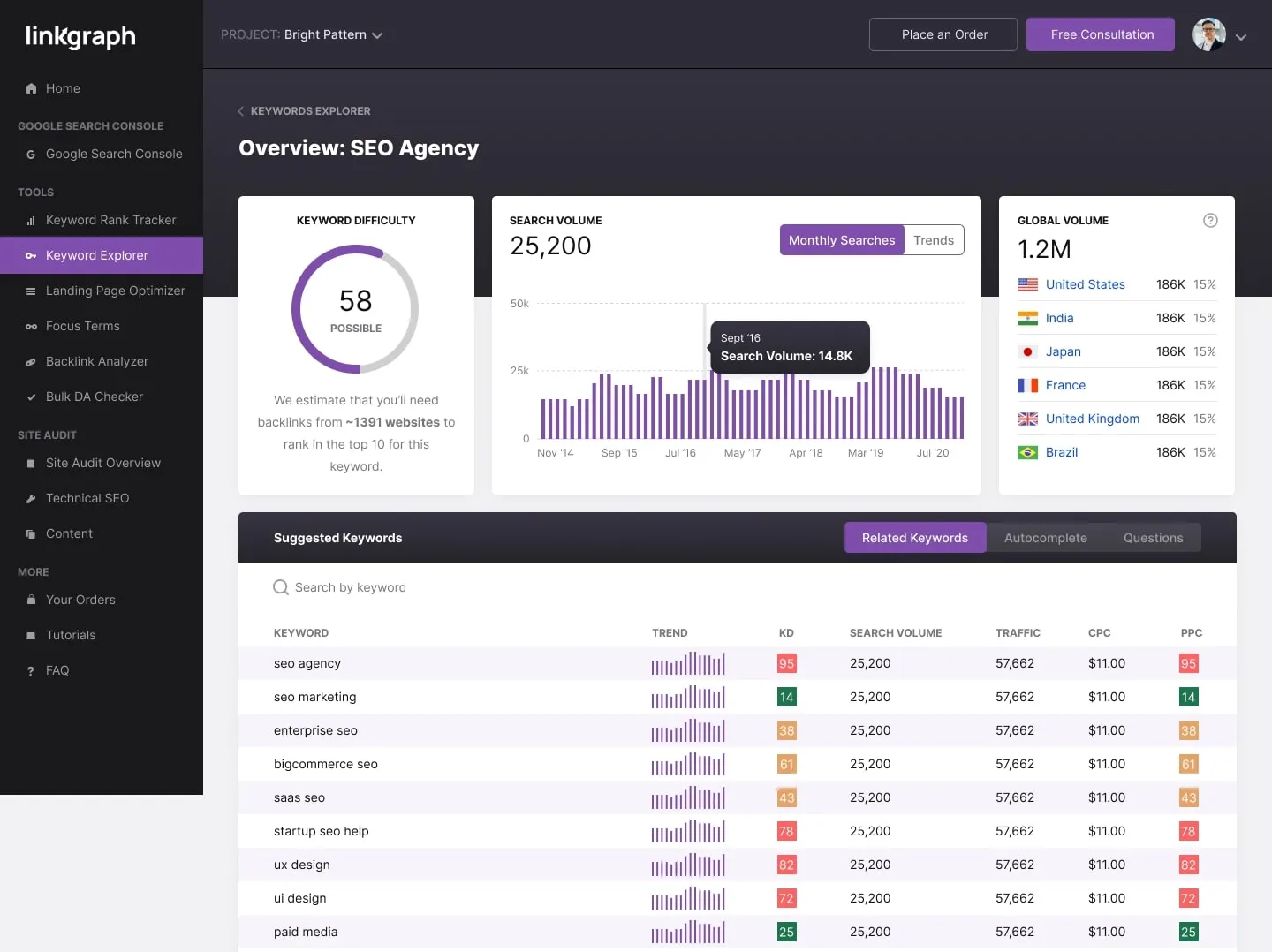
In addition to our free backlink analysis tool, our proprietary software suite equips your brand to harness the power of data-driven SEO across every level of your organization. Perform keyword research, optimize your landing pages and blog posts, or check your Domain Authority and backlink profile all within our SEO dashboard.
We provide real-time data so you can make the on-page improvements that your site needs right now. In our easy interface customer dashboard, you can identify toxic backlinks, research keyword cost-per-click and search volume, or optimize your landing page content for the focus terms that will help you get on page one.
We make using our tools even easier with our LinkGraph Chrome extension. Add our tool to your internet browser so you can start optimizing your on-site content right away. We make SEO tools easy and accessible so you can take your SEO strategy into your own hands and implement the best practices throughout your organization.
Google looks to anchor text, as well as the text surrounding the anchor text, to understand the relevance of the linked page. Google doesn’t want users linking to pages that have no topical relevance to the previous page, and will be suspicious of websites that have many links with irrelevant, unnatural, or even explicit anchor texts.
When another site links to yours, the clickable text in the hyperlink should read naturally on the page. Too many exact-match anchor texts, or anchor text that includes the exact keyword you’re trying to rank for, looks suspicious to Google. This is why it is particularly important in any link building campaign to think about the anchor text type as well as the quality of the websites where you earn your backlinks.
A healthy backlink profile will have a range of anchor text diversity — from branded anchors, to generic anchors, to partial-match. Not all webmasters will link to your website in the same way, so a diversity of anchor text actually improves your backlink profile overall. For more information about anchor text, read our blog post on how anchor text diversitycan benefit your backlink profile.
Ready to improve your site? We’re ready to help.
Schedule a free call with one of our experts to find out how you can crush your competition.
What should I do when a new page links to my website?
Use a link explorer tool of some kind to evaluate the link url and referring domain. There are many tools out there — ahrefs, semrush, or Majestic SEO — but LinkGraph offers the most comprehensive tools with engaging interfaces. LinkGraph clients have access to unlimited reports so they check their backlink profiles often.
Do certain top-level domains make for better backlinks?
Regardless of your domain link, domain authority is the best measurement of link quality. Dot com, dot edu, and dot co are the most popular top-level domains, but they can all have varying levels of domain authority. The actual page metrics that matter the most for backlink quality are the Moz DA score, Page Rank, and website traffic.
Should I try to earn backlinks for a single page, like my homepage?
Most likely, your home page will earn the most backlinks over the course of time, but it’s important to earn links to other pages on your site as well. Every landing page on your website should target a different keyword, creating more opportunities for users to find you through their free search queries on Google. You can use blog content to target additional keywords and earn new backlinks, but make sure to avoid duplicate content and ensure that all of your web pages follow the best practices of on-page SEO.
Link Building Campaigns
Like the Moz open site explorer, semrush, cognitiveseo, or seo spyglass, we offer cutting-edge software site explorer and SEO tools to provide you data insights into your deep links and backlink profile. But unlike companies like seo spyglass and cognitiveseo, we also offer fully managed SEO campaigns. We are a full-service digital agency that can help you leverage every part of Google engine optimization. We will help you identify the right page or pages on your site for link building campaigns as well.
Technical Insights
Our custom dashboard gives you notifications on all of the technical elements of your site, from meta tags to PageSpeed Insight scores. We will identify thin or duplicate content, improve your page load times, add schema.org markup, and more.
On-Page Strategy
Unlike other companies like Cognitiveseo or Kerboo, we can also help you implement the on-page improvements in your content and HTML back-end to make you appear more often in search (and even higher in Alexa traffic rank!) Start ranking for more keywords with the expertise of our on-page strategists.
I'm new to backlink analysis. Where should I start?
Make sure you read our negative SEO attack ebook as well as our link building ebookto learn more about all of the powerful data provided by a backlink analysis tool. In these resources, you can learn many other tactics to remove toxic links from disavow files to blocking referring ips that send an influx of toxic links. Read the ebook to learn more.
Why should I use your backlink checker over other tools?
Other tools like seo spyglass and cognitiveseo have more limited dashboards, preventing you from understanding the data at a granular level that empowers you to make off-site improvements right away.
How can I learn more about link building?
Our link building ebook will teach you how to safely increase your site authority through strategies that are Google compliant and white-hat. Learn more about all of our favorite content marketing strategies for earning new links from authoritative, high-quality websites.
Why you should perform a backlink analysis
If you have never taken a closer look at your backlink profile, it could reveal some key insights about your website’s performance in search engine results. If you’ve struggled to earn keyword rankings and site traffic but have made the on-page optimizations necessary to improve SEO, you may need to focus more on what’s happening off-site. A backlink audit can help you identify your strengths and weaknesses so you can refine your SEO strategy to produce better results. All it takes is a simple backlink analysis to get started.
Why should you work with LinkGraph for your Enterprise SEO
All of our enterprise clients have full access to our proprietary SEO software suite. Empower your in-house teams to implement SEO best practices at every level of your organization.
We use cookies on our website to give you the most relevant experience by remembering your preferences and repeat visits. By clicking “Accept All”, you consent to the use of ALL the cookies.
This website uses cookies to improve your experience while you navigate through the website. Out of these, the cookies that are categorized as necessary are stored on your browser as they are essential for the working of basic functionalities of the website. We also use third-party cookies that help us analyze and understand how you use this website. These cookies will be stored in your browser only with your consent. You also have the option to opt-out of these cookies. But opting out of some of these cookies may affect your browsing experience.
Necessary cookies are absolutely essential for the website to function properly. These cookies ensure basic functionalities and security features of the website, anonymously.
Cookie
Duration
Description
__cfruid
session
Cloudflare sets this cookie to identify trusted web traffic.
__hssrc
session
This cookie is set by Hubspot whenever it changes the session cookie. The __hssrc cookie set to 1 indicates that the user has restarted the browser, and if the cookie does not exist, it is assumed to be a new session.
cookielawinfo-checkbox-advertisement
1 year
Set by the GDPR Cookie Consent plugin, this cookie is used to record the user consent for the cookies in the "Advertisement" category .
cookielawinfo-checkbox-analytics
11 months
This cookie is set by GDPR Cookie Consent plugin. The cookie is used to store the user consent for the cookies in the category "Analytics".
cookielawinfo-checkbox-functional
11 months
The cookie is set by GDPR cookie consent to record the user consent for the cookies in the category "Functional".
cookielawinfo-checkbox-necessary
11 months
This cookie is set by GDPR Cookie Consent plugin. The cookies is used to store the user consent for the cookies in the category "Necessary".
cookielawinfo-checkbox-others
11 months
This cookie is set by GDPR Cookie Consent plugin. The cookie is used to store the user consent for the cookies in the category "Other.
cookielawinfo-checkbox-performance
11 months
This cookie is set by GDPR Cookie Consent plugin. The cookie is used to store the user consent for the cookies in the category "Performance".
CookieLawInfoConsent
1 year
Records the default button state of the corresponding category & the status of CCPA. It works only in coordination with the primary cookie.
csrftoken
1 year
This cookie is associated with Django web development platform for python. Used to help protect the website against Cross-Site Request Forgery attacks
JSESSIONID
session
The JSESSIONID cookie is used by New Relic to store a session identifier so that New Relic can monitor session counts for an application.
viewed_cookie_policy
11 months
The cookie is set by the GDPR Cookie Consent plugin and is used to store whether or not user has consented to the use of cookies. It does not store any personal data.
Functional cookies help to perform certain functionalities like sharing the content of the website on social media platforms, collect feedbacks, and other third-party features.
Cookie
Duration
Description
__cf_bm
30 minutes
This cookie, set by Cloudflare, is used to support Cloudflare Bot Management.
__hssc
30 minutes
HubSpot sets this cookie to keep track of sessions and to determine if HubSpot should increment the session number and timestamps in the __hstc cookie.
bcookie
1 year
LinkedIn sets this cookie from LinkedIn share buttons and ad tags to recognize browser ID.
bscookie
1 year
LinkedIn sets this cookie to store performed actions on the website.
lang
session
LinkedIn sets this cookie to remember a user's language setting.
lidc
1 day
LinkedIn sets the lidc cookie to facilitate data center selection.
na_id
1 year 24 days
The na_id is set by AddThis to enable sharing of links on social media platforms like Facebook and Twitter.
ouid
1 year 24 days
Associated with the AddThis widget, this cookie helps users to share content across various networking and sharing forums.
UserMatchHistory
1 month
LinkedIn sets this cookie for LinkedIn Ads ID syncing.
Performance cookies are used to understand and analyze the key performance indexes of the website which helps in delivering a better user experience for the visitors.
Cookie
Duration
Description
_gat
1 minute
This cookie is installed by Google Universal Analytics to restrain request rate and thus limit the collection of data on high traffic sites.
Analytical cookies are used to understand how visitors interact with the website. These cookies help provide information on metrics the number of visitors, bounce rate, traffic source, etc.
Cookie
Duration
Description
__hstc
5 months 27 days
This is the main cookie set by Hubspot, for tracking visitors. It contains the domain, initial timestamp (first visit), last timestamp (last visit), current timestamp (this visit), and session number (increments for each subsequent session).
_ga
2 years
The _ga cookie, installed by Google Analytics, calculates visitor, session and campaign data and also keeps track of site usage for the site's analytics report. The cookie stores information anonymously and assigns a randomly generated number to recognize unique visitors.
_ga_XG2FWHK2V3
2 years
This cookie is installed by Google Analytics.
_gcl_au
3 months
Provided by Google Tag Manager to experiment advertisement efficiency of websites using their services.
_gid
1 day
Installed by Google Analytics, _gid cookie stores information on how visitors use a website, while also creating an analytics report of the website's performance. Some of the data that are collected include the number of visitors, their source, and the pages they visit anonymously.
_hjAbsoluteSessionInProgress
30 minutes
Hotjar sets this cookie to detect the first pageview session of a user. This is a True/False flag set by the cookie.
_hjFirstSeen
30 minutes
Hotjar sets this cookie to identify a new user’s first session. It stores a true/false value, indicating whether it was the first time Hotjar saw this user.
_hjIncludedInPageviewSample
2 minutes
Hotjar sets this cookie to know whether a user is included in the data sampling defined by the site's pageview limit.
_hjIncludedInSessionSample
2 minutes
Hotjar sets this cookie to know whether a user is included in the data sampling defined by the site's daily session limit.
_hjTLDTest
session
To determine the most generic cookie path that has to be used instead of the page hostname, Hotjar sets the _hjTLDTest cookie to store different URL substring alternatives until it fails.
CONSENT
2 years
YouTube sets this cookie via embedded youtube-videos and registers anonymous statistical data.
hubspotutk
5 months 27 days
HubSpot sets this cookie to keep track of the visitors to the website. This cookie is passed to HubSpot on form submission and used when deduplicating contacts.
uid
1 year 24 days
This is a Google UserID cookie that tracks users across various website segments.
Advertisement cookies are used to provide visitors with relevant ads and marketing campaigns. These cookies track visitors across websites and collect information to provide customized ads.
Cookie
Duration
Description
_fbp
3 months
This cookie is set by Facebook to display advertisements when either on Facebook or on a digital platform powered by Facebook advertising, after visiting the website.
anj
3 months
AppNexus sets the anj cookie that contains data stating whether a cookie ID is synced with partners.
IDE
1 year 24 days
Google DoubleClick IDE cookies are used to store information about how the user uses the website to present them with relevant ads and according to the user profile.
IDSYNC
1 year
This cookie is set by Yahoo to store information on how users behave on multiple websites so that relevant ads can be displayed to them.
pa_crosswise_ts
2 years
The pa_crosswise_ts cookie is set by Perfect Audience for advertising purposes based on user behavioural data.
pa_google_ts
2 years
The pa_google_ts cookie is set by Perfect Audience for advertising purposes based on user behavioural data.
pa_openx_ts
2 years
The pa_openx_ts cookie is set by Perfect Audience for advertising purposes based on user behavioural data.
pa_rubicon_ts
2 years
The pa_rubicon_ts cookie is set by Perfect Audience for advertising purposes based on user behavioural data.
pa_twitter_ts
2 years
The pa_twitter_ts cookie is set by Perfect Audience for advertising purposes based on user behavioural data.
pa_uid
2 years
This cookie is set by prfct.co. This cookie is used across the websites that use same ad network to display ads to the other advertisers in the network.
pa_yahoo_ts
2 years
The pa_yahoo_ts cookie is set by Perfect Audience for advertising purposes based on user behavioural data.
personalization_id
2 years
Twitter sets this cookie to integrate and share features for social media and also store information about how the user uses the website, for tracking and targeting.
test_cookie
15 minutes
The test_cookie is set by doubleclick.net and is used to determine if the user's browser supports cookies.
uuid2
3 months
The uuid2 cookie is set by AppNexus and records information that helps in differentiating between devices and browsers. This information is used to pick out ads delivered by the platform and assess the ad performance and its attribute payment.
VISITOR_INFO1_LIVE
5 months 27 days
A cookie set by YouTube to measure bandwidth that determines whether the user gets the new or old player interface.
YSC
session
YSC cookie is set by Youtube and is used to track the views of embedded videos on Youtube pages.
yt-remote-connected-devices
never
YouTube sets this cookie to store the video preferences of the user using embedded YouTube video.
yt-remote-device-id
never
YouTube sets this cookie to store the video preferences of the user using embedded YouTube video.
yt.innertube::nextId
never
This cookie, set by YouTube, registers a unique ID to store data on what videos from YouTube the user has seen.
yt.innertube::requests
never
This cookie, set by YouTube, registers a unique ID to store data on what videos from YouTube the user has seen.
Other uncategorized cookies are those that are being analyzed and have not been classified into a category as yet.
Cookie
Duration
Description
CSRF-TOKEN
1 day
No description
anchor text, search engine optimization, backlink, nofollow, search engine, search engine results page, anchor, web crawler, keyword research, link building, faq, hyperlink, semrush, web page, pricing, pagerank, subdomain, spamming, research, audit, brand, keyword, reputation, confidence, database, relevance, domain name, visibility, citation, spreadsheet, ip address, customer, analytics, export, link analysis, graph, button, seo backlink check, backlinks checker, algorithm, statistics, user experience, quantity, webmaster, terms of service, website, web browser, target audience, best practice, backlinks checken, a href backlink check, backlink check google, reputation management, digital marketing, credibility, resource, white hat
Frequently Asked Questions
How do I find out the number of links pointing to my site?
You can find out the number of links pointing to your site by using free backlink checker tools or paid services like Ahrefs, Majestic SEO, Semrush, or SEO Spyglass. Conduct regular backlink checks to monitor and analyze the quality and quantity of links to your domain.
What tools are available to analyze my site's link profile without charge?
You can utilize free backlink checker tools like Google Search Console to analyze your site's link profile without charge. Additionally, tools such as SemRush and Majestic offer free options for examining your backlinks.
Are there any reliable platforms that allow in-depth examination of my website's inbound links for free?
There are free backlink checker tools available online that can provide detailed insights into your website's inbound links for analysis and optimization. These tools can help you understand the quality and quantity of your backlinks to improve your website's SEO performance.
How can I verify the effectiveness of my site's inbound links?
To verify the effectiveness of your site's inbound links, you should regularly check the authority of the sites linking to you, analyze the anchor text used, and assess the relevance of the linking domains. Additionally, monitoring changes in your site's rankings and traffic after acquiring new backlinks can help gauge the impact of your link-building efforts over time.
Can I use any online service to check my page's inbound links without incurring costs?
There are several free backlink checker tools available online that can help you check your page's inbound links without incurring any costs. These tools can provide valuable insights into your backlink profile and help you identify any spammy or harmful links that may be affecting your site's rankings.
How to analyze a competitor's backlinks?
To analyze a competitor's backlinks, monitor their site for new content, set up alerts for their publications, and track their link profile changes over time using tools like Majestic and Open Site Explorer. Utilize various link checker tools and conduct thorough backlink research to benchmark against your own site's backlink profile for strategic insights and competitive advantage.
What tactics improve backlink quality?
Improving backlink quality involves focusing on getting links from high-authority and trustworthy websites. Creating valuable and relevant content that other sites will want to link to is key in building a strong backlink profile. Regularly auditing and disavowing toxic backlinks helps maintain the quality of your link portfolio.
Can backlinks boost domain authority?
Backlinks can significantly boost domain authority by improving the overall reputation and trustworthiness of your site in the eyes of search engines like Google. High-quality backlinks from authoritative and relevant websites play a crucial role in enhancing domain authority and increasing the chances of higher rankings in search engine results.
What features do backlink analyzers offer?
Backlink analyzers offer features such as checking the domain authority of linking sites, identifying toxic backlinks, generating disavow text, and analyzing anchor text quality. These tools provide insights into the strength of backlinks, help in identifying link-building opportunities, and aid in monitoring the overall health of a website's backlink profile.
How frequent should backlink audits be?
Regular backlink audits should be performed at least once every quarter to identify any spammy or harmful backlinks and ensure the overall health of your backlink profile. Performing backlink research on competitors' profiles can also serve as a benchmark for your own site's link building efforts.
What differentiates dofollow from nofollow links?
Dofollow links pass link equity, contributing to your site's trust and authority in search engine rankings. Nofollow links, on the other hand, do not pass on link equity but can still provide visibility and potential traffic to your site.
How to identify harmful incoming links?
To identify harmful incoming links, you should analyze the domain authority of the linking site, evaluate the anchor text used, and consider factors like site traffic and relevance to determine if a link is detrimental to your website's ranking. Taking manual action to remove toxic links from your own site or reaching out to the webmaster of the linking site to request removal are effective ways to address harmful backlinks. Utilizing tools like Google's disavow tool can also help to mitigate the impact of toxic links on your site's SEO performance.
What strategies attract quality backlinks?
Quality backlinks are attracted through creating valuable, high-quality content that is relevant to the target audience. Leveraging visual content like infographics and conducting research to produce statistics that can be turned into shareable visuals are effective strategies for attracting quality backlinks. Additionally, monitoring competitors' backlink profiles and setting up alerts for new backlinks can provide insights for building a successful link-building campaign.
How to verify a backlink's value?
To verify a backlink's value, assess factors like the linking site's domain authority, the anchor text used, and the relevance of the linking site's content to yours. Additionally, consider the overall traffic and credibility of the linking domain to determine the impact of the backlink on your website's authority and rankings. Regularly monitoring your backlink profile and analyzing new links can help ensure the quality and effectiveness of your backlink strategy.
Are reciprocal backlinks beneficial or detrimental?
Reciprocal backlinks can be both beneficial and detrimental. While they can help increase your site's visibility and authority when done in moderation and with relevant sites, excessive reciprocal linking solely for the purpose of manipulating rankings can be seen as a manipulative tactic by search engines, leading to potential penalties.
How to monitor backlink profile changes?
Regularly use a backlink checker tool to monitor your backlink profile for any changes. Conduct backlink research on your competitors to create benchmarks and stay ahead in your link-building efforts.
Can backlinks affect website penalties?
Backlinks can indeed affect website penalties. Low-quality or toxic backlinks from spammy sites can harm your site's reputation and potentially lead to Google penalties. It's crucial to regularly monitor and audit your backlink profile to maintain a healthy website ranking.
How does anchor text influence backlinks?
Anchor text plays a crucial role in influencing backlinks as it provides context to search engines about the content of the linked page, affecting the relevancy and authority passed through the link. The words used in the anchor text signal to search engines what the linked page is about, contributing to determining the ranking and credibility of the linked website.
What constitutes a natural backlink profile?
A natural backlink profile consists of high-quality backlinks from authoritative and relevant websites. These backlinks should be earned organically through the creation of valuable content that others find useful and worth linking to. It is essential to have a diverse range of backlinks with varying anchor texts to appear natural to search engines.
Are edu or gov backlinks superior?
Edu and gov backlinks are often considered superior due to the high authority and trust associated with educational and governmental institutions. These types of backlinks can contribute significantly to a website's overall backlink profile and credibility.
How to leverage backlinks for rankings?
To leverage backlinks for rankings, focus on generating high-quality backlinks from authoritative and trustworthy websites. Monitor your backlink profile regularly, disavow toxic backlinks, and continue to build strong relationships with other sites to increase the number and quality of backlinks pointing to your domain.
Can backlink quantity trump quality?
While backlink quantity can play a role in SEO, the quality of those backlinks is ultimately more important for boosting your site's rankings and authority. It's essential to focus on acquiring high-quality backlinks from trusted and relevant websites to see the most significant impact on your search engine performance.
Why do backlinks vary in importance?
Backlinks vary in importance based on factors like the authority of the linking site, the type of backlink (dofollow, nofollow), and the relevance of the content. Higher-quality backlinks from trusted sites are more valuable and contribute more positively to a website's overall reputation and search engine rankings.
How to disavow toxic backlinks effectively?
To effectively disavow toxic backlinks, you need to first identify and assess the harmful links through tools like a backlink checker. After pinpointing these links, reach out to webmasters for removal or use the Google disavow tool to request Google not to count them toward your site authority. Regularly monitor and perform link audits to maintain a healthy backlink profile for improved SEO performance.
What role do backlinks play organically?
Backlinks play a crucial role organically by indicating the authority and trustworthiness of a website. They help improve search engine rankings and increase visibility by showing that other sites find the content valuable.
How to measure backlink campaign success?
To measure the success of a backlink campaign, monitor the increase in high-quality backlinks, improvements in domain authority, organic traffic growth, and rankings in search engine results pages. Analyzing these metrics will help evaluate the impact of the campaign on overall website visibility and authority.
Can backlinks from unrelated sites harm?
Backlinks from unrelated sites can harm your website's ranking and credibility as they may be considered low-quality by search engines such as Google. It's important to focus on building backlinks from relevant and authoritative sources to maintain a strong backlink profile and avoid potential penalties.
How to negotiate backlink placement deals?
When negotiating backlink placement deals, focus on establishing mutually beneficial partnerships with other websites. Clearly communicate the value your site offers and be open to discussing different placement options to ensure a positive outcome for both parties.
How to recover from lost backlinks?
To recover from lost backlinks, you can focus on creating high-quality, valuable content that other sites will want to link to, thereby attracting new backlinks. Additionally, reaching out to webmasters of sites that previously linked to you and requesting to restore those lost links can also help in recovering from lost backlinks.
Are automated backlink generation tools effective?
Automated backlink generation tools are generally not effective in the long run and can even harm your website's SEO efforts. They often result in low-quality links from spammy websites, which can lead to penalties from search engines like Google.
toxic backlink check, bad backlink checker, toxic link checker, toxic links checker, toxic domain checker, toxic link check, free bad backlink checker, free toxic backlink checker, spam backlink checker, spammy links checker, check toxic backlink, check bad backlink, check for bad backlink, black link checker, backlink spam checker, spam links checker, find toxic backlink, free backlink audit, free backlink check, backlink analyzer tool, free backlink analysis, spammy link checker, backlink checker for free, backlink count checker, check backlink free, find bad backlink, url backlink checker, backlink checker free, free backlink analyzer, backlink analyzer free, backlink finder free, seo backlink analyzer, backlink checker tool, backlink check free, backlink checker free tool, how to check bad backlink, free website backlink checker, check backlink for free, backlink finder tool, free backlink search, free backlink checker online, a href backlink check, seo backlink checker free, free online backlink checker, free backlink cheer, free backlink checker, free backlink checking tool, link building checker, check backlink for website, backlink checker tools free, backlink checker online, check for backlink, seo backlink checker, check backlink, free seo backlink checker, backlink checker tool free, free backlink checker tool, backlink cheer, check site backlink, website backlink checker, backlink analyzer, backlink checker seo, online backlink checker, backlink analysis tools, backlink tool free, free domain backlink checker, free backlink checker sites, check website backlink, external backlink checker, backlinkcheck, competitor backlink analysis free, check back links, seo link checker, dofollow backlink checker, find backlink, link explorer free, backlink search, backlink counter, find backlink to website, site backlink checker, backlink checked, see backlink to site, checar backlink, analyse backlink, how do i check backlink, analysis backlink, backlink checker online free, lost backlink checker, nofollow link checker tool, backlink checker kostenlos, toxic domains, how to see backlink, seo link finder, website backlink audit, check dofollow backlink, check for bad links seo, find all backlinks to a website, total backlinks, seo link analysis tool, backlink checking tool, backlink search engine, backlinks checker seo, link checker seo, backlink checker by alaikas, check bad backlinks, analyse backlinks, check inbound links, backlink checking, checking backlinks, check backlinks free, youtube backlink checker, free website backlinks, find site backlinks, check backlinks for youtube video, spam backlinks checker, website backlinks checker, free backlink tools, check your backlinks, competitor backlinks checker, google backlinks check, find my backlinks, backlink check software, back link monitor, free backlinks tool, find backlinks to a site, check spammy backlinks, backlink profile tool, backlink quality checker, back link analyser, backlinks scanner, backlink tester, free backlinks, href backlink, backlink software free, check backlinks seo, check site backlinks google, link profile tool, site explorer backlink checker, find backlinks to my site, check website backlinks free, best free backlink tool, bad backlink checker free, nofollow backlinks checker, backlinks to my site free, back link analysis, look up backlinks, backlink seo tool, how to check for backlinks, backlinker checker, check bad backlinks free, accurate backlink checker, backlink checker sites, incoming links checker, back link tool, backlink score checker, how to check backlinks of my website, backlink checker for website, free backlinks online, site backlink analysis, free backlink tool, check my website backlink, backlink tool seo, analyze backlink, scan backlinks, checar backlinks, google backlink checker, inbound link checker, backlinkschecker, backlink profiler, find backlinks, best tool for backlink analysis, how to find toxic backlinks, check site backlinks, backlinks checker free, seo backlink check, website backlink checker free, backlinks tool checker, how to check my backlinks, back link checker, seo backlinks check, backlink checker gratis, how to check backlinks for a website, backlink analysis dashboard, seo backlink tracker, backlink checker tool online, how to check how many backlinks a website has, check my sites backlinks, check backlinks for free, number of backlinks checker, seo tool backlink checker, domain backlink check, checker backlinks, free backlink software, seo tools to check backlinks, check backlinks of websites, backlink research tool, find backlinks to page, bad backlinks checker free, back links check, backlink checher, backlink finder, how to see backlinks of a website, link popularity checker tool, free back link checker, dofollow backlinks checker, find website backlinks, backlink research tools, find toxic backlinks, tools to check backlinks, competitor backlink finder, free backlinking, free backlink provider, backlink analysis tool free, get free backlink, free backlinks checker tool, google backlink analyzer, monitor backlinks seo tools backlink checker, how to check backlinks to my website, backlink free, domain backlink checker, backlink cheker, backlinks analyzer, external backlinks checker, social backlinks checker, how to find competitors backlinks free, backlink analysis tool, banklink checker, inbound links checker, website backlinks checker free, competitor link checker, find bad backlinks, seo backlinks free, competitor backlink checker tool, check backlinks to website, free backlink report, backlinks checkers, href backlinks, back link tools, backlink analysis software, free unlimited backlink checker, verifica backlink, backlink checker seo tools, seo links checker, free site explorer, check backlinks for my website, backlinks research, backlink check online, backlink program, backlinks seo check, check backlinks to my site, best backlink checker, backlink checker website, backlink chceker, backlinks finder, backlink analyser, ahrefs free backlink checker, check backlinks on my website, backlink quality check, seo link analysis, backlinks website checker, find backlinks free, backlinks checken kostenlos, how check backlinks, competitor backlink check, link back checker, track backlinks, backlinks checker tool, backlinks seo checker, backlinks search, moz.com backlink checker, how many backlinks does my site have, check sites backlinks, find backlinks to website, backlink link checker, check my backlinks free, backling checker, cek backlink, seo backlink checker tool, backlink tool checker, spammy backlink checker, check website backlinks, a href back link checker, backlink checker free google, backlink chekcer, backlink checker google, seo backlink analysis, analyze backlinks, check backlinks website, best backlink checker free, backlink profile analysis, check websites backlinks, backlinks free, toxic checker, backlink chekr, how to check backlinks, checker backlink, backlink checke, how to check backlink of a website, backlinking tool, how to tell if a backlink is quality, backlink data, backlinks report, free backlinks for my website, backlinks analysis, check backlink profile, seo backlink search, checking backlinks of a website, backlinks check online, backlinks tracker, competitor backlink checker, best back link checker, check for bad backlinks, backlink analyse, backlinks tracking, site backlink check, backlinks analyse, how to check your backlinks, backlinks tools, backlinks explorer, google backlink checker tool, realtime backlink checker, how to check website backlinks, free inbound link checker, linkback checker, backlinks tool, backlink checker tools, find backlinks to a page, backlink checker tool online free, website backlink, search for backlinks, backink checker, find backlinks to a website, check backlink quality, how to check backlinks of a website, semrush backlink checker, how to check backlink quality, backlink audit free, backlinks analysis tool, online backlink checker tools, backlink audit tool, backlink watch free tool, inbound link checker tool, website backlink analysis, ver backlinks, se ranking backlink checker, backlink lookup, best backlink analysis tool, backlink analysis report, seo backlink report, google backlinks checker, backlinks score, how to check backlinks to my site, check backlinks online, how to find bad backlinks, link juice checker, best free backlink checker, free backlink service, how check backlink, keyword backlink checker, backlink analysis tools free, backlink checker software free, what is backlink analysis, backlink scanner, how to check how many backlinks a site has, social backlink checker, free backlink checker tools, backlinks health check, free backlinks checker, check domain backlinks, backlink checker software, search backlink, backlink quality analysis, trust flow checker, back links tool, seo backlinks checker, free seo backlink, back link checker tool, free backlink for website, backlink checker api, google back link checker, backlink tracking, href backlink checker, backlink value checker, backlinks checking, back links checker, see backlinks, backlink checking tools, check backlinks of a site, see backlinks to site, free backlink audit tool, banklinks checker, back link check, comprobar backlinks, backlinks watcher, backlink checker with pagerank, backlink-checker, backlinks seo free, free backlinks to website, a href backlink checker tool, backlink health checker, search backlinks, backlink analysis in seo, anchor text backlink checker, backlink crawler, check my website backlinks, best backlink checker tools, backlink profile checker, backlink analyse tool, backlink free checker, find backlinks for a site, competitor backlink analysis tool, how to check back links, backlink health tracking, how to check if my website has backlinks, backlinks checker, backlink checker free tools, backlinks checker free tool, google backlink counter, check backlinks of website, linkgraph backlinks, verificador de backlinks, how to check backlinks on a website, check quality of backlinks, seo backlink tools, backlinck checker, moz backlink checker, backlink checken, site backlinks, what is a backlink checker, how to check the backlinks of a website, seo backlinks tool, backlink checekr, backlinks check, how to check backlinks of website, backlinking checker, free backlinks to my website, seo backlink finder, online backlinks checker, check backlinks for website, seo backlink tool, best free backlink checker tool, backlink chek, moz backlinks checker, referring domains checker, best backlink checker tool, seoprofiler backlink checker, backlink check tool, free backlink tool review, domain backlinks checker, backlink tracker, competitors backlink checker, bad backlinks checker, new backlink checker, a href backlinks, anchor text checker tool, backlinks checker tool free, check backlinks of a website, linkbuilding checker, find out many backlinks website has, my site backlinks, backlinks checker google, back link search, backlinks counter, backlink test, ahrefs com backlink checker, backlinks check free, competitor backlink analysis tools, free backlinks for your website, check backlink tool, backlink.checker, backlink checker seo tool, check how many backlinks a website has, backlink analysis platform, backlinks checken, backlinks cheker, free backlinks for website, backlink quality checker tool, backlinks checker tools, check backlinks for domain, identify bad backlinks, ahref backlink checker, view backlinks, backlinks checker online, quality backlink checker, check your website backlinks, google backlinks tool, ahref free backlink checker, website backlinks analysis, get free backlinks for my website, back links seo check, backlink analysis free, check backlink website, toxic backlinks checker, seo links check, check number of backlinks to a website, gov backlink checker, check backlink of website, backlinkchecker, check for backlinks, a href backlink checker, check my backlinks, backlink monitoring, check incoming links, how to check backlinks to your website, see website backlinks, how to know backlinks of website, check backlinks for a website, check backlinks for a site, check page backlinks, baclink check, page backlink checker, free backlink finder, site explorer free, website backlink check, check backlinks, bulk backlink checker, tool backlink, backlinks prüfen, backlink chec, check backlinks tool, google backlink tool, seo tools backlink checker, find backlinks for url, how to check website backlinks for free, bad backlink checker tool, free backlink checker with pagerank, link profile analysis, free tool to check backlinks, check number of backlinks, baclink checker, check backlinks to your site, free backlink analysis tool, tracking backlinks, how to find out what backlinks a website has, google incoming link checker, how to see all backlinks to your site, free backlink cheker, seo tools link checker, competitor backlink tool, search back links, how to see how many backlinks a website has, backlink tool, verificar backlinks, check backlinks google, free backlinks checker tools, backlinks free checker, check toxic backlinks, free backlink checker seo tool, track backlinks your site, backlinks finden, backlink checker google analytics, moz backlink checker free, find your backlinks, how do i check backlinks, how to find backlinks to my site, a href backlink, check backlinks of my website, check how many backlinks a site has, competitor backlinks tool, domain backlinks, backlink reports, backlink check kostenlos, backlink viewer, backlink tracking software, href backlinks checker, backlink ellenőrzés, dofollow link checker, check spam backlinks, how to track backlinks, view backlink, href backlink check, how can i check my backlinks, backlinks checker free online, free backlink websites, backlink chker, backlink check google, website backlinks check, how can i check backlinks for my website, backlink audit tools, backlink chaker, backlink cheeker, free backlink sites, check backlinks on website, backlinks check tool, link detox tool, backlink checker toolbar, tools to track backlinks, check competitor backlinks free, backlink score, check backlinks to a website, ahrefs free backlinks checker, check your backlinks free, check dofollow backlinks, how to check number of backlinks, site backlinks checker, site backlinks check, free backlink analysis tools, back link finder, tool backlink check, check new backlinks, backlink website checker, backlinks monitoring, backlink analytics tool, website backlinks checker tool, domain backlinks check, check your site backlinks, google backlinks checker tool, seo backlink tool free, free google backlink checker tool, backlinks checker dofollow checker, open site explorer backlink checker, check my site backlinks, backlinks checker online free, check site backlinks free, website seo backlink checker, check backlinks to my website free, best backlinks checker, checking backlinks tool, how to find backlinks of a website, online backlink checker tool, backlink search tool, how to check toxic backlinks, backlinks free tool, do follow backlink checker, backlink history checker, backlink domain checker, find out backlinks, what is backlink checker, check seo backlinks, total backlinks checker, seo tool link checker, find website backlink, check backlinks to my website, ahrefs free backlink check, total backlink checker, free backlinks check, a href backlinks checker, free competitor backlink analysis tool, backlinks finder tool, google backlink check, best backlink checking tool, backlink analyzer tool free, check all backlinks free, backlinks checker for website, find backlinks for a website, back link checker online, check all backlinks, link checker tool free, backlinks tool free, new backlinks checker, free backlink checker software, seo backlink checker tool free, backlink report free, free backlink, free online backlink analysis, find backlinks tool, good backlink checker, find backlinks to a specific page, valuable backlinks checker, how to check backlinks free, backlink checker free online, best free backlinks checker, nofollow link checker, backlinks überprüfen, backlink watch tool, competitor backlink analysis tool free, view website backlinks, check backlinks to your website, backlinks checker google tool, seo back link checker, checking backlink, check back link, check how many backlinks, check your website backlink, google backlink checker free, determine backlinks, how do i check backlinks to my site, do follow backlinks checker, website back link checker, best backlinks checker tool, backlink url, best free backlink checker tools, check backlinks of website free, check backlinks for site, follow backlinks checker, referring domain checker, best free online backlink checker, seo backlinks checker free, website backlink analyzer, how do you check backlinks
How to Use the Backlink Analyzer Tool
Using a backlink analyzer tool like LinkGraph’s Backlinks Checker is essential for understanding the quality and quantity of backlinks pointing to your website. Start by entering your website URL into the tool and let it analyze your backlink profile. The tool will provide you with important metrics such as the number of backlinks, referring domains, anchor text distribution, and the authority of the linking domains.
Once you have this data, you can identify any toxic or low-quality backlinks that may be harming your SEO efforts. You can then use this information to develop a strategy for acquiring high-quality backlinks that will improve your website's search engine rankings and drive more organic traffic to your site.
The Benefits of Backlink Analysis
Performing a backlink analysis using a tool like LinkGraph's Backlinks Checker can provide you with valuable insights into your website's SEO performance. By understanding the quantity and quality of backlinks pointing to your site, you can identify areas for improvement and develop a strategy for building a strong backlink profile. This can lead to increased organic traffic, higher search engine rankings, and ultimately, more leads and sales for your business.
In addition, analyzing your backlink profile can help you stay ahead of your competitors by identifying their backlink sources and strategies. This can give you a competitive edge in your industry and help you develop a more effective SEO strategy to outperform your competition in the search engine results.
anchor text, search engine optimization, backlink, nofollow, search engine, search engine results page, anchor, web crawler, keyword research, link building, faq, hyperlink, semrush, web page, pricing, pagerank, subdomain, spamming, research, audit, brand, keyword, reputation, confidence, database, relevance, domain name, visibility, citation, spreadsheet, ip address, customer, analytics, export, link analysis, graph, button, seo backlink check, backlinks checker, algorithm, statistics, user experience, quantity, webmaster, terms of service, website, web browser, target audience, best practice, backlinks checken, a href backlink check, backlink check google, reputation management, digital marketing, credibility, resource, white hat
Frequently Asked Questions
How do I find out the number of links pointing to my site?
You can find out the number of links pointing to your site by using free backlink checker tools or paid services like Ahrefs, Majestic SEO, Semrush, or SEO Spyglass. Conduct regular backlink checks to monitor and analyze the quality and quantity of links to your domain.
What tools are available to analyze my site's link profile without charge?
You can utilize free backlink checker tools like Google Search Console to analyze your site's link profile without charge. Additionally, tools such as SemRush and Majestic offer free options for examining your backlinks.
Are there any reliable platforms that allow in-depth examination of my website's inbound links for free?
There are free backlink checker tools available online that can provide detailed insights into your website's inbound links for analysis and optimization. These tools can help you understand the quality and quantity of your backlinks to improve your website's SEO performance.
How can I verify the effectiveness of my site's inbound links?
To verify the effectiveness of your site's inbound links, you should regularly check the authority of the sites linking to you, analyze the anchor text used, and assess the relevance of the linking domains. Additionally, monitoring changes in your site's rankings and traffic after acquiring new backlinks can help gauge the impact of your link-building efforts over time.
Can I use any online service to check my page's inbound links without incurring costs?
There are several free backlink checker tools available online that can help you check your page's inbound links without incurring any costs. These tools can provide valuable insights into your backlink profile and help you identify any spammy or harmful links that may be affecting your site's rankings.
How to analyze a competitor's backlinks?
To analyze a competitor's backlinks, monitor their site for new content, set up alerts for their publications, and track their link profile changes over time using tools like Majestic and Open Site Explorer. Utilize various link checker tools and conduct thorough backlink research to benchmark against your own site's backlink profile for strategic insights and competitive advantage.
What tactics improve backlink quality?
Improving backlink quality involves focusing on getting links from high-authority and trustworthy websites. Creating valuable and relevant content that other sites will want to link to is key in building a strong backlink profile. Regularly auditing and disavowing toxic backlinks helps maintain the quality of your link portfolio.
Can backlinks boost domain authority?
Backlinks can significantly boost domain authority by improving the overall reputation and trustworthiness of your site in the eyes of search engines like Google. High-quality backlinks from authoritative and relevant websites play a crucial role in enhancing domain authority and increasing the chances of higher rankings in search engine results.
What features do backlink analyzers offer?
Backlink analyzers offer features such as checking the domain authority of linking sites, identifying toxic backlinks, generating disavow text, and analyzing anchor text quality. These tools provide insights into the strength of backlinks, help in identifying link-building opportunities, and aid in monitoring the overall health of a website's backlink profile.
How frequent should backlink audits be?
Regular backlink audits should be performed at least once every quarter to identify any spammy or harmful backlinks and ensure the overall health of your backlink profile. Performing backlink research on competitors' profiles can also serve as a benchmark for your own site's link building efforts.
What differentiates dofollow from nofollow links?
Dofollow links pass link equity, contributing to your site's trust and authority in search engine rankings. Nofollow links, on the other hand, do not pass on link equity but can still provide visibility and potential traffic to your site.
How to identify harmful incoming links?
To identify harmful incoming links, you should analyze the domain authority of the linking site, evaluate the anchor text used, and consider factors like site traffic and relevance to determine if a link is detrimental to your website's ranking. Taking manual action to remove toxic links from your own site or reaching out to the webmaster of the linking site to request removal are effective ways to address harmful backlinks. Utilizing tools like Google's disavow tool can also help to mitigate the impact of toxic links on your site's SEO performance.
What strategies attract quality backlinks?
Quality backlinks are attracted through creating valuable, high-quality content that is relevant to the target audience. Leveraging visual content like infographics and conducting research to produce statistics that can be turned into shareable visuals are effective strategies for attracting quality backlinks. Additionally, monitoring competitors' backlink profiles and setting up alerts for new backlinks can provide insights for building a successful link-building campaign.
How to verify a backlink's value?
To verify a backlink's value, assess factors like the linking site's domain authority, the anchor text used, and the relevance of the linking site's content to yours. Additionally, consider the overall traffic and credibility of the linking domain to determine the impact of the backlink on your website's authority and rankings. Regularly monitoring your backlink profile and analyzing new links can help ensure the quality and effectiveness of your backlink strategy.
Are reciprocal backlinks beneficial or detrimental?
Reciprocal backlinks can be both beneficial and detrimental. While they can help increase your site's visibility and authority when done in moderation and with relevant sites, excessive reciprocal linking solely for the purpose of manipulating rankings can be seen as a manipulative tactic by search engines, leading to potential penalties.
How to monitor backlink profile changes?
Regularly use a backlink checker tool to monitor your backlink profile for any changes. Conduct backlink research on your competitors to create benchmarks and stay ahead in your link-building efforts.
Can backlinks affect website penalties?
Backlinks can indeed affect website penalties. Low-quality or toxic backlinks from spammy sites can harm your site's reputation and potentially lead to Google penalties. It's crucial to regularly monitor and audit your backlink profile to maintain a healthy website ranking.
How does anchor text influence backlinks?
Anchor text plays a crucial role in influencing backlinks as it provides context to search engines about the content of the linked page, affecting the relevancy and authority passed through the link. The words used in the anchor text signal to search engines what the linked page is about, contributing to determining the ranking and credibility of the linked website.
What constitutes a natural backlink profile?
A natural backlink profile consists of high-quality backlinks from authoritative and relevant websites. These backlinks should be earned organically through the creation of valuable content that others find useful and worth linking to. It is essential to have a diverse range of backlinks with varying anchor texts to appear natural to search engines.
Are edu or gov backlinks superior?
Edu and gov backlinks are often considered superior due to the high authority and trust associated with educational and governmental institutions. These types of backlinks can contribute significantly to a website's overall backlink profile and credibility.
How to leverage backlinks for rankings?
To leverage backlinks for rankings, focus on generating high-quality backlinks from authoritative and trustworthy websites. Monitor your backlink profile regularly, disavow toxic backlinks, and continue to build strong relationships with other sites to increase the number and quality of backlinks pointing to your domain.
Can backlink quantity trump quality?
While backlink quantity can play a role in SEO, the quality of those backlinks is ultimately more important for boosting your site's rankings and authority. It's essential to focus on acquiring high-quality backlinks from trusted and relevant websites to see the most significant impact on your search engine performance.
Why do backlinks vary in importance?
Backlinks vary in importance based on factors like the authority of the linking site, the type of backlink (dofollow, nofollow), and the relevance of the content. Higher-quality backlinks from trusted sites are more valuable and contribute more positively to a website's overall reputation and search engine rankings.
How to disavow toxic backlinks effectively?
To effectively disavow toxic backlinks, you need to first identify and assess the harmful links through tools like a backlink checker. After pinpointing these links, reach out to webmasters for removal or use the Google disavow tool to request Google not to count them toward your site authority. Regularly monitor and perform link audits to maintain a healthy backlink profile for improved SEO performance.
What role do backlinks play organically?
Backlinks play a crucial role organically by indicating the authority and trustworthiness of a website. They help improve search engine rankings and increase visibility by showing that other sites find the content valuable.
How to measure backlink campaign success?
To measure the success of a backlink campaign, monitor the increase in high-quality backlinks, improvements in domain authority, organic traffic growth, and rankings in search engine results pages. Analyzing these metrics will help evaluate the impact of the campaign on overall website visibility and authority.
Can backlinks from unrelated sites harm?
Backlinks from unrelated sites can harm your website's ranking and credibility as they may be considered low-quality by search engines such as Google. It's important to focus on building backlinks from relevant and authoritative sources to maintain a strong backlink profile and avoid potential penalties.
How to negotiate backlink placement deals?
When negotiating backlink placement deals, focus on establishing mutually beneficial partnerships with other websites. Clearly communicate the value your site offers and be open to discussing different placement options to ensure a positive outcome for both parties.
How to recover from lost backlinks?
To recover from lost backlinks, you can focus on creating high-quality, valuable content that other sites will want to link to, thereby attracting new backlinks. Additionally, reaching out to webmasters of sites that previously linked to you and requesting to restore those lost links can also help in recovering from lost backlinks.
Are automated backlink generation tools effective?
Automated backlink generation tools are generally not effective in the long run and can even harm your website's SEO efforts. They often result in low-quality links from spammy websites, which can lead to penalties from search engines like Google.
toxic backlink check, bad backlink checker, toxic link checker, toxic links checker, toxic domain checker, toxic link check, free bad backlink checker, free toxic backlink checker, spam backlink checker, spammy links checker, check toxic backlink, check bad backlink, check for bad backlink, black link checker, backlink spam checker, spam links checker, find toxic backlink, free backlink audit, free backlink check, backlink analyzer tool, free backlink analysis, spammy link checker, backlink checker for free, backlink count checker, check backlink free, find bad backlink, url backlink checker, backlink checker free, free backlink analyzer, backlink analyzer free, backlink finder free, seo backlink analyzer, backlink checker tool, backlink check free, backlink checker free tool, how to check bad backlink, free website backlink checker, check backlink for free, backlink finder tool, free backlink search, free backlink checker online, a href backlink check, seo backlink checker free, free online backlink checker, free backlink cheer, free backlink checker, free backlink checking tool, link building checker, check backlink for website, backlink checker tools free, backlink checker online, check for backlink, seo backlink checker, check backlink, free seo backlink checker, backlink checker tool free, free backlink checker tool, backlink cheer, check site backlink, website backlink checker, backlink analyzer, backlink checker seo, online backlink checker, backlink analysis tools, backlink tool free, free domain backlink checker, free backlink checker sites, check website backlink, external backlink checker, backlinkcheck, competitor backlink analysis free, check back links, seo link checker, dofollow backlink checker, find backlink, link explorer free, backlink search, backlink counter, find backlink to website, site backlink checker, backlink checked, see backlink to site, checar backlink, analyse backlink, how do i check backlink, analysis backlink, backlink checker online free, lost backlink checker, nofollow link checker tool, backlink checker kostenlos, toxic domains, how to see backlink, seo link finder, website backlink audit, check dofollow backlink, check for bad links seo, find all backlinks to a website, total backlinks, seo link analysis tool, backlink checking tool, backlink search engine, backlinks checker seo, link checker seo, backlink checker by alaikas, check bad backlinks, analyse backlinks, check inbound links, backlink checking, checking backlinks, check backlinks free, youtube backlink checker, free website backlinks, find site backlinks, check backlinks for youtube video, spam backlinks checker, website backlinks checker, free backlink tools, check your backlinks, competitor backlinks checker, google backlinks check, find my backlinks, backlink check software, back link monitor, free backlinks tool, find backlinks to a site, check spammy backlinks, backlink profile tool, backlink quality checker, back link analyser, backlinks scanner, backlink tester, free backlinks, href backlink, backlink software free, check backlinks seo, check site backlinks google, link profile tool, site explorer backlink checker, find backlinks to my site, check website backlinks free, best free backlink tool, bad backlink checker free, nofollow backlinks checker, backlinks to my site free, back link analysis, look up backlinks, backlink seo tool, how to check for backlinks, backlinker checker, check bad backlinks free, accurate backlink checker, backlink checker sites, incoming links checker, back link tool, backlink score checker, how to check backlinks of my website, backlink checker for website, free backlinks online, site backlink analysis, free backlink tool, check my website backlink, backlink tool seo, analyze backlink, scan backlinks, checar backlinks, google backlink checker, inbound link checker, backlinkschecker, backlink profiler, find backlinks, best tool for backlink analysis, how to find toxic backlinks, check site backlinks, backlinks checker free, seo backlink check, website backlink checker free, backlinks tool checker, how to check my backlinks, back link checker, seo backlinks check, backlink checker gratis, how to check backlinks for a website, backlink analysis dashboard, seo backlink tracker, backlink checker tool online, how to check how many backlinks a website has, check my sites backlinks, check backlinks for free, number of backlinks checker, seo tool backlink checker, domain backlink check, checker backlinks, free backlink software, seo tools to check backlinks, check backlinks of websites, backlink research tool, find backlinks to page, bad backlinks checker free, back links check, backlink checher, backlink finder, how to see backlinks of a website, link popularity checker tool, free back link checker, dofollow backlinks checker, find website backlinks, backlink research tools, find toxic backlinks, tools to check backlinks, competitor backlink finder, free backlinking, free backlink provider, backlink analysis tool free, get free backlink, free backlinks checker tool, google backlink analyzer, monitor backlinks seo tools backlink checker, how to check backlinks to my website, backlink free, domain backlink checker, backlink cheker, backlinks analyzer, external backlinks checker, social backlinks checker, how to find competitors backlinks free, backlink analysis tool, banklink checker, inbound links checker, website backlinks checker free, competitor link checker, find bad backlinks, seo backlinks free, competitor backlink checker tool, check backlinks to website, free backlink report, backlinks checkers, href backlinks, back link tools, backlink analysis software, free unlimited backlink checker, verifica backlink, backlink checker seo tools, seo links checker, free site explorer, check backlinks for my website, backlinks research, backlink check online, backlink program, backlinks seo check, check backlinks to my site, best backlink checker, backlink checker website, backlink chceker, backlinks finder, backlink analyser, ahrefs free backlink checker, check backlinks on my website, backlink quality check, seo link analysis, backlinks website checker, find backlinks free, backlinks checken kostenlos, how check backlinks, competitor backlink check, link back checker, track backlinks, backlinks checker tool, backlinks seo checker, backlinks search, moz.com backlink checker, how many backlinks does my site have, check sites backlinks, find backlinks to website, backlink link checker, check my backlinks free, backling checker, cek backlink, seo backlink checker tool, backlink tool checker, spammy backlink checker, check website backlinks, a href back link checker, backlink checker free google, backlink chekcer, backlink checker google, seo backlink analysis, analyze backlinks, check backlinks website, best backlink checker free, backlink profile analysis, check websites backlinks, backlinks free, toxic checker, backlink chekr, how to check backlinks, checker backlink, backlink checke, how to check backlink of a website, backlinking tool, how to tell if a backlink is quality, backlink data, backlinks report, free backlinks for my website, backlinks analysis, check backlink profile, seo backlink search, checking backlinks of a website, backlinks check online, backlinks tracker, competitor backlink checker, best back link checker, check for bad backlinks, backlink analyse, backlinks tracking, site backlink check, backlinks analyse, how to check your backlinks, backlinks tools, backlinks explorer, google backlink checker tool, realtime backlink checker, how to check website backlinks, free inbound link checker, linkback checker, backlinks tool, backlink checker tools, find backlinks to a page, backlink checker tool online free, website backlink, search for backlinks, backink checker, find backlinks to a website, check backlink quality, how to check backlinks of a website, semrush backlink checker, how to check backlink quality, backlink audit free, backlinks analysis tool, online backlink checker tools, backlink audit tool, backlink watch free tool, inbound link checker tool, website backlink analysis, ver backlinks, se ranking backlink checker, backlink lookup, best backlink analysis tool, backlink analysis report, seo backlink report, google backlinks checker, backlinks score, how to check backlinks to my site, check backlinks online, how to find bad backlinks, link juice checker, best free backlink checker, free backlink service, how check backlink, keyword backlink checker, backlink analysis tools free, backlink checker software free, what is backlink analysis, backlink scanner, how to check how many backlinks a site has, social backlink checker, free backlink checker tools, backlinks health check, free backlinks checker, check domain backlinks, backlink checker software, search backlink, backlink quality analysis, trust flow checker, back links tool, seo backlinks checker, free seo backlink, back link checker tool, free backlink for website, backlink checker api, google back link checker, backlink tracking, href backlink checker, backlink value checker, backlinks checking, back links checker, see backlinks, backlink checking tools, check backlinks of a site, see backlinks to site, free backlink audit tool, banklinks checker, back link check, comprobar backlinks, backlinks watcher, backlink checker with pagerank, backlink-checker, backlinks seo free, free backlinks to website, a href backlink checker tool, backlink health checker, search backlinks, backlink analysis in seo, anchor text backlink checker, backlink crawler, check my website backlinks, best backlink checker tools, backlink profile checker, backlink analyse tool, backlink free checker, find backlinks for a site, competitor backlink analysis tool, how to check back links, backlink health tracking, how to check if my website has backlinks, backlinks checker, backlink checker free tools, backlinks checker free tool, google backlink counter, check backlinks of website, linkgraph backlinks, verificador de backlinks, how to check backlinks on a website, check quality of backlinks, seo backlink tools, backlinck checker, moz backlink checker, backlink checken, site backlinks, what is a backlink checker, how to check the backlinks of a website, seo backlinks tool, backlink checekr, backlinks check, how to check backlinks of website, backlinking checker, free backlinks to my website, seo backlink finder, online backlinks checker, check backlinks for website, seo backlink tool, best free backlink checker tool, backlink chek, moz backlinks checker, referring domains checker, best backlink checker tool, seoprofiler backlink checker, backlink check tool, free backlink tool review, domain backlinks checker, backlink tracker, competitors backlink checker, bad backlinks checker, new backlink checker, a href backlinks, anchor text checker tool, backlinks checker tool free, check backlinks of a website, linkbuilding checker, find out many backlinks website has, my site backlinks, backlinks checker google, back link search, backlinks counter, backlink test, ahrefs com backlink checker, backlinks check free, competitor backlink analysis tools, free backlinks for your website, check backlink tool, backlink.checker, backlink checker seo tool, check how many backlinks a website has, backlink analysis platform, backlinks checken, backlinks cheker, free backlinks for website, backlink quality checker tool, backlinks checker tools, check backlinks for domain, identify bad backlinks, ahref backlink checker, view backlinks, backlinks checker online, quality backlink checker, check your website backlinks, google backlinks tool, ahref free backlink checker, website backlinks analysis, get free backlinks for my website, back links seo check, backlink analysis free, check backlink website, toxic backlinks checker, seo links check, check number of backlinks to a website, gov backlink checker, check backlink of website, backlinkchecker, check for backlinks, a href backlink checker, check my backlinks, backlink monitoring, check incoming links, how to check backlinks to your website, see website backlinks, how to know backlinks of website, check backlinks for a website, check backlinks for a site, check page backlinks, baclink check, page backlink checker, free backlink finder, site explorer free, website backlink check, check backlinks, bulk backlink checker, tool backlink, backlinks prüfen, backlink chec, check backlinks tool, google backlink tool, seo tools backlink checker, find backlinks for url, how to check website backlinks for free, bad backlink checker tool, free backlink checker with pagerank, link profile analysis, free tool to check backlinks, check number of backlinks, baclink checker, check backlinks to your site, free backlink analysis tool, tracking backlinks, how to find out what backlinks a website has, google incoming link checker, how to see all backlinks to your site, free backlink cheker, seo tools link checker, competitor backlink tool, search back links, how to see how many backlinks a website has, backlink tool, verificar backlinks, check backlinks google, free backlinks checker tools, backlinks free checker, check toxic backlinks, free backlink checker seo tool, track backlinks your site, backlinks finden, backlink checker google analytics, moz backlink checker free, find your backlinks, how do i check backlinks, how to find backlinks to my site, a href backlink, check backlinks of my website, check how many backlinks a site has, competitor backlinks tool, domain backlinks, backlink reports, backlink check kostenlos, backlink viewer, backlink tracking software, href backlinks checker, backlink ellenőrzés, dofollow link checker, check spam backlinks, how to track backlinks, view backlink, href backlink check, how can i check my backlinks, backlinks checker free online, free backlink websites, backlink chker, backlink check google, website backlinks check, how can i check backlinks for my website, backlink audit tools, backlink chaker, backlink cheeker, free backlink sites, check backlinks on website, backlinks check tool, link detox tool, backlink checker toolbar, tools to track backlinks, check competitor backlinks free, backlink score, check backlinks to a website, ahrefs free backlinks checker, check your backlinks free, check dofollow backlinks, how to check number of backlinks, site backlinks checker, site backlinks check, free backlink analysis tools, back link finder, tool backlink check, check new backlinks, backlink website checker, backlinks monitoring, backlink analytics tool, website backlinks checker tool, domain backlinks check, check your site backlinks, google backlinks checker tool, seo backlink tool free, free google backlink checker tool, backlinks checker dofollow checker, open site explorer backlink checker, check my site backlinks, backlinks checker online free, check site backlinks free, website seo backlink checker, check backlinks to my website free, best backlinks checker, checking backlinks tool, how to find backlinks of a website, online backlink checker tool, backlink search tool, how to check toxic backlinks, backlinks free tool, do follow backlink checker, backlink history checker, backlink domain checker, find out backlinks, what is backlink checker, check seo backlinks, total backlinks checker, seo tool link checker, find website backlink, check backlinks to my website, ahrefs free backlink check, total backlink checker, free backlinks check, a href backlinks checker, free competitor backlink analysis tool, backlinks finder tool, google backlink check, best backlink checking tool, backlink analyzer tool free, check all backlinks free, backlinks checker for website, find backlinks for a website, back link checker online, check all backlinks, link checker tool free, backlinks tool free, new backlinks checker, free backlink checker software, seo backlink checker tool free, backlink report free, free backlink, free online backlink analysis, find backlinks tool, good backlink checker, find backlinks to a specific page, valuable backlinks checker, how to check backlinks free, backlink checker free online, best free backlinks checker, nofollow link checker, backlinks überprüfen, backlink watch tool, competitor backlink analysis tool free, view website backlinks, check backlinks to your website, backlinks checker google tool, seo back link checker, checking backlink, check back link, check how many backlinks, check your website backlink, google backlink checker free, determine backlinks, how do i check backlinks to my site, do follow backlinks checker, website back link checker, best backlinks checker tool, backlink url, best free backlink checker tools, check backlinks of website free, check backlinks for site, follow backlinks checker, referring domain checker, best free online backlink checker, seo backlinks checker free, website backlink analyzer, how do you check backlinks
How to Use the Backlink Analyzer Tool
Using a backlink analyzer tool like LinkGraph’s Backlinks Checker is essential for understanding the quality and quantity of backlinks pointing to your website. Start by entering your website URL into the tool and let it analyze your backlink profile. The tool will provide you with important metrics such as the number of backlinks, referring domains, anchor text distribution, and the authority of the linking domains.
Once you have this data, you can identify any toxic or low-quality backlinks that may be harming your SEO efforts. You can then use this information to develop a strategy for acquiring high-quality backlinks that will improve your website's search engine rankings and drive more organic traffic to your site.
The Benefits of Backlink Analysis
Performing a backlink analysis using a tool like LinkGraph's Backlinks Checker can provide you with valuable insights into your website's SEO performance. By understanding the quantity and quality of backlinks pointing to your site, you can identify areas for improvement and develop a strategy for building a strong backlink profile. This can lead to increased organic traffic, higher search engine rankings, and ultimately, more leads and sales for your business.
In addition, analyzing your backlink profile can help you stay ahead of your competitors by identifying their backlink sources and strategies. This can give you a competitive edge in your industry and help you develop a more effective SEO strategy to outperform your competition in the search engine results.

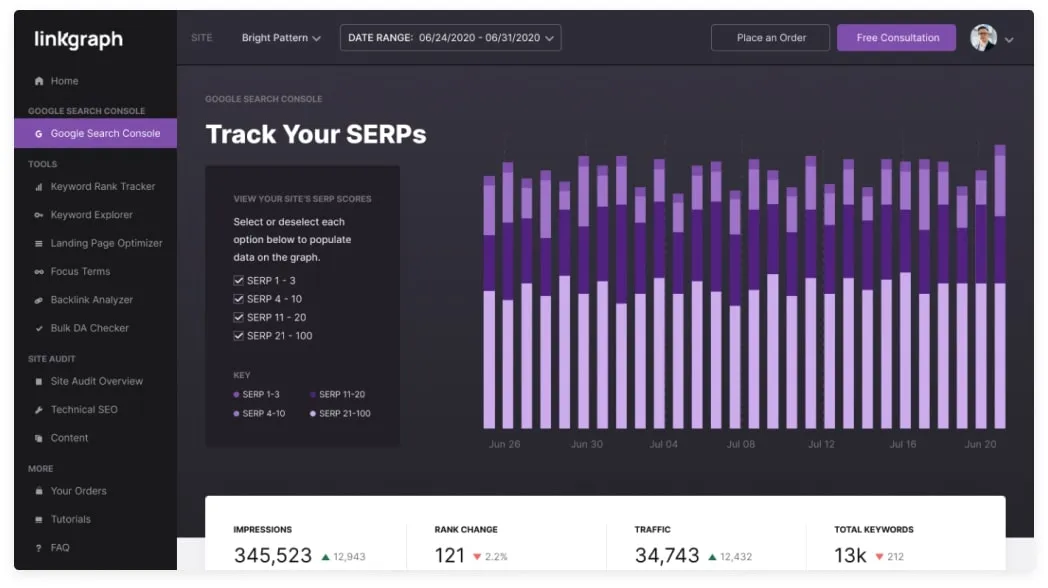









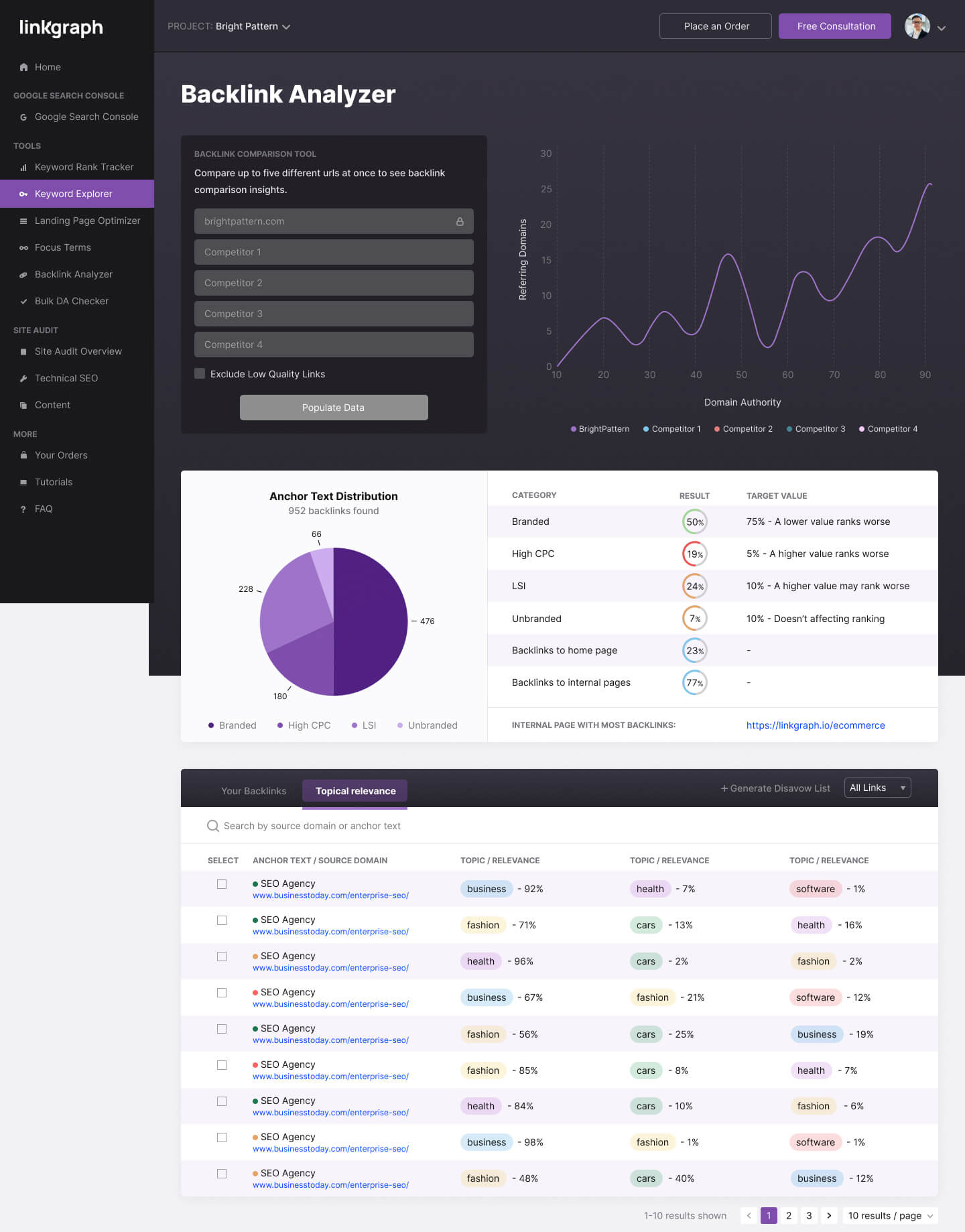


 Backlinks for Beginners
 Influencing Domain Authority
 Identifying Toxic Backlinks
  Removing Bad Links
 Building High Quality Backlinks
 Monitoring Backlink Profiles
  Negative SEO Attacks
 Backlinks Overview


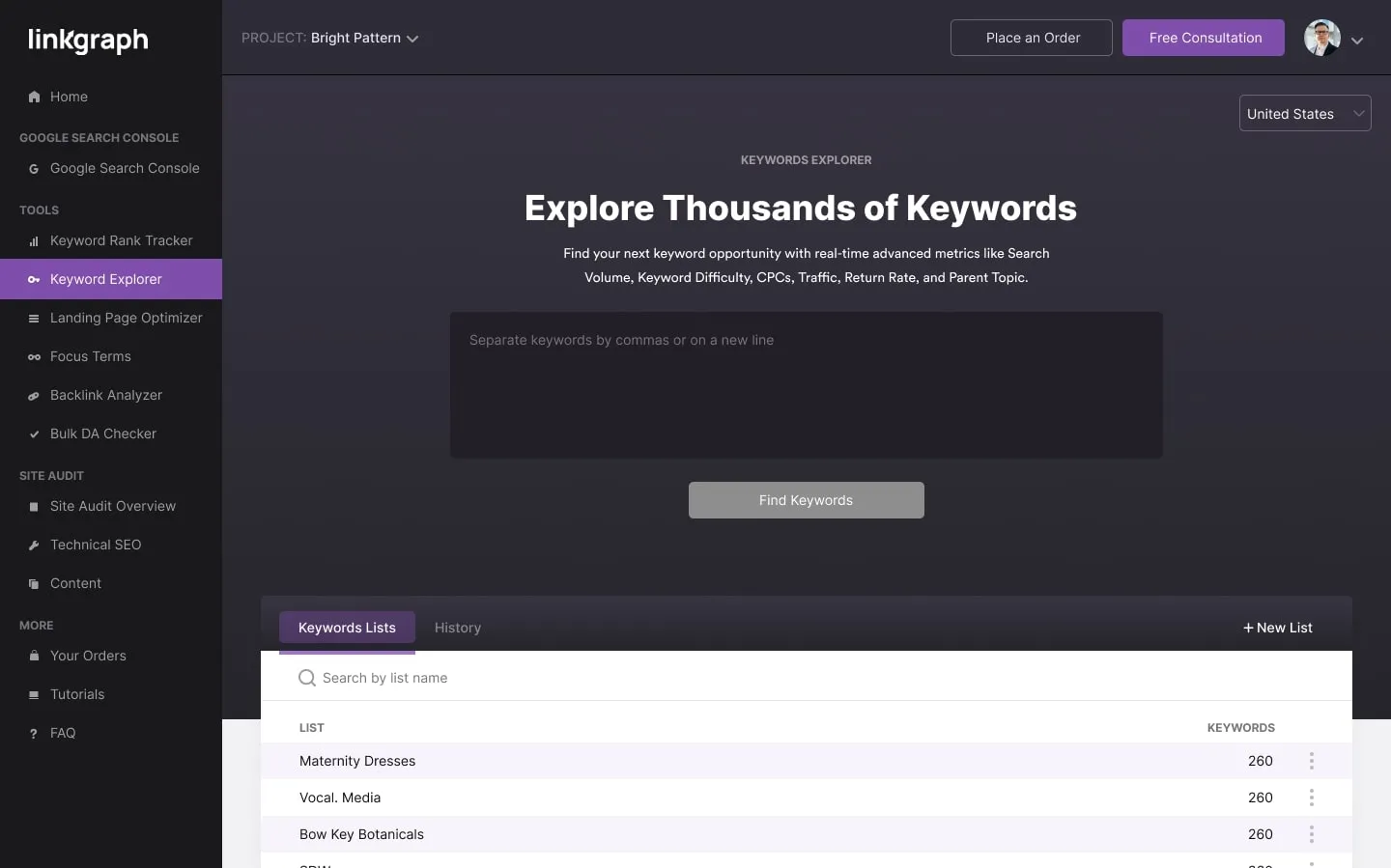

 Relevance
 Natural Appearance
 Diversity